|
| Series Download Button With CSS and HTML |
Introduction
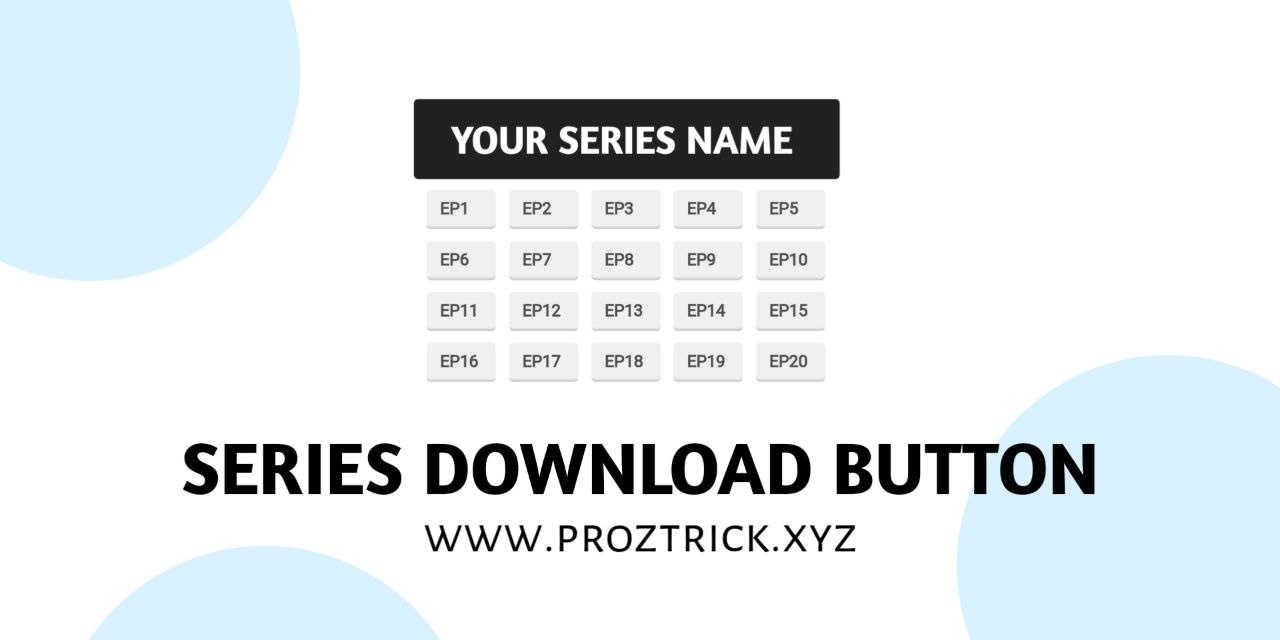
Hello my dear friends welcome in this post I gonna share you How to apply series Download Button with CSS and HTML.
This Widget is used by both using wordpress and blogger but tutorial is going to be based on Blogger.
These Days there are many brand new series websites had be grown, by this widget you can also create an series site in blogger.
Tutorial
Applying CSS and HTML Code
Go to Blogger
Blogger > Theme > Edit HTML
Copy The Css Code and Paste Above ]]></b:skin>
/* download button film series by ProzTrick */
.wc-flms-wrap{position:relative;display:flex}
.wc-flms-wrap h3{position:absolute;margin-top:0;background-color:#4c4f4d;color:#fefefe;padding:15px;width:100%;font-size:17px;text-align:center}
.wc-flms-wrap .wcbtn-flms-area {margin:70px auto;display:flex;flex-direction:row;justify-content:normal;flex-wrap:wrap}
.wcbtn-flms-area a {width:50px;box-sizing:border-box;text-decoration:none;margin: 0.4em;padding-left:0.7em;border-radius: 3px;border: 1px solid #f0f0f0;border-bottom-color:#dce2e0;color:#4c4f4d;font-size: 12px;font-weight:bold;box-shadow: 0 1px 0 rgb(0 0 0 / 20%), inset 0 0 0 2px #f0f0f0;background-color:#f0f0f0}

/* css darkmode sesuaikan classnya jika berbeda atau hapus bagian ini */
.darkMode .wcbtn-flms-area a {border:1px solid #4c4f4d;border-bottom-color:#161717;color:#B0B3B8;box-shadow:0 1px 0 #161717,inset 0 0 0 2px #4c4f4d;background-color:#4c4f4d}
Applying HTML Code
<div class='wc-flms-wrap'>
<h3>1 Supergirl - Season 1</h3>
<div class='wcbtn-flms-area'>
<!--[ubah # dengan link download kalian]-->
<a href='#' target='_blank'>EP1</a>
<a href='#' target='_blank'>EP2</a>
<a href='#' target='_blank'>EP3</a>
<a href='#' target='_blank'>EP4</a>
<a href='#' target='_blank'>EP5</a>
<a href='#' target='_blank'>EP6</a>
<a href='#' target='_blank'>EP7</a>
<a href='#' target='_blank'>EP8</a>
<a href='#' target='_blank'>EP9</a>
<a href='#' target='_blank'>EP10</a>
<a href='#' target='_blank'>EP11</a>
<a href='#' target='_blank'>EP12</a>
<a href='#' target='_blank'>EP13</a>
<a href='#' target='_blank'>EP14</a>
<a href='#' target='_blank'>EP15</a>
<a href='#' target='_blank'>EP16</a>
<a href='#' target='_blank'>EP17</a>
<a href='#' target='_blank'>EP18</a>
<a href='#' target='_blank'>EP19</a>
<a href='#' target='_blank'>EP20</a>
</div>
</div>
Any Doubt in Tutorial ?
Do you Have any Doubt in Tutorial ? Then Comment your Doubts with your email we will help you to solve problem you faced.
Conclusion
Hope You learnt How to Apply Series Download Button in Blogger .
Reference : Wendy Code